
Menu Metrics Every Restaurant Owner Should Track
Menu metrics help restaurant owners track sales, costs, profitability, waste, and channel performance to make smarter, more profitable menu decisions.
menu development
May 12, 2026
Menu metrics help restaurant owners track sales, costs, profitability, waste, and channel performance to make smarter, more profitable menu decisions.
May 12, 2026
A Cloud Kitchen helps restaurateurs serve delivery customers, reduce front-of-house costs, manage digital orders, and grow profitably with data-driven operations.
May 11, 2026

This step-by-step guide will show restaurant owners exactly how to read their profit & loss statement, spot hidden leaks, and boost profit—no finance degree required.
May 13, 2026
Discover the real challenges and rewards of opening a pizza restaurant franchise in Huntington Beach, California. This article explores the operational journey, family dynamics, and strategic choices behind Pizza Guys, through the lens of the owner’s experience.
May 12, 2026

Explore the best areas in Virginia to open a restaurant by comparing demand, costs, tourism, labor, competition, and concept fit.
May 8, 2026
Food handling checklists help restaurants manage receiving, storage, prep, cooking, service, cleaning, training, and daily safety checks.
May 8, 2026
Learn how ignoring employee availability and scheduling preferences leads to disengagement, higher turnover, and lower productivity. Discover why people-focused scheduling improves retention, morale, and overall team performance.
May 8, 2026

Optimize your restaurant google business profile with accurate details, posts, Q&A, attributes, reviews, and tracking to increase visibility and orders.
May 6, 2026
A strong restaurant brand comes from clear values, consistent experiences, visual identity, customer focus, digital presence, and trusted service.
May 5, 2026

Discover how constant last-minute schedule changes create workplace stress, lower employee morale, and reduce productivity. Learn why structured scheduling improves retention, communication, and overall business efficiency.
May 7, 2026
Use core POS reports - sales summary, dayparts, channels, transactions, item mix, discounts - to build accurate Sales Forecasts for staffing and ordering.
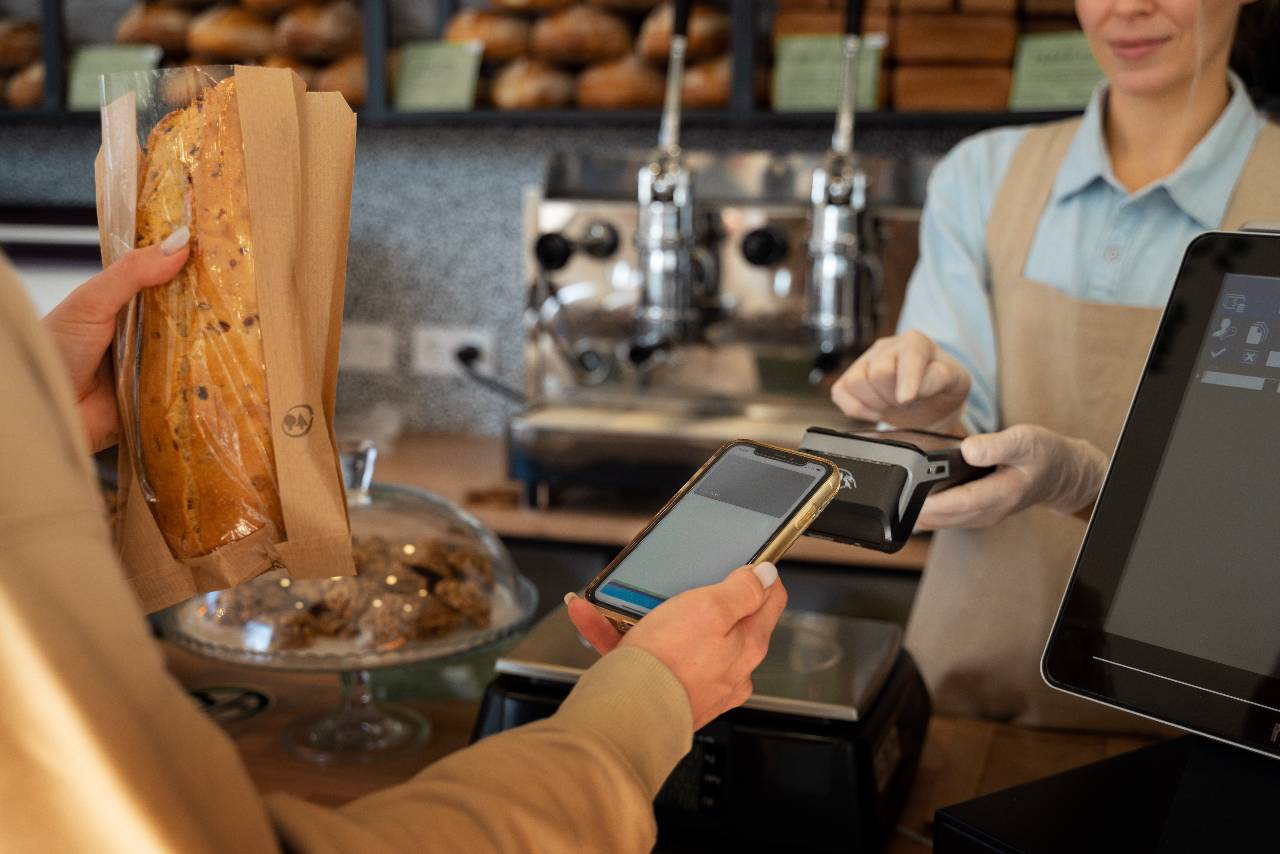
In a restaurant, accurate sales forecasting doesn't mean you predict the exact dollar amount you'll sell next Tuesday. It means you're close enough to make the right operational calls - how much to prep, what to order, and how many people to schedule - without constantly reacting at the last minute.
A useful way to think about forecasting is this - your forecast is a decision tool, not a perfect prediction. If your forecast helps you avoid running out of top sellers, cutting staff too early, or over-ordering product that expires, it's doing its job.
What accurate forecasting does mean
Accurate forecasting usually means you can answer questions like -
1. How busy will we be by day and by daypart? (not just this week feels strong)
2. What's the likely order volume by channel? (dine-in vs. delivery vs. takeout)
3. Will labor and prep match the demand pattern? (rushes, not just totals)
4. What items will we likely sell more of? (so you can set pars and prep levels)
Most owners don't need forecasting to be "perfect." They need it to be consistent, explainable, and actionable. Consistent means the method is the same each week. Explainable means you can point to the drivers (seasonality, promotions, local events). Actionable means it ties directly to staffing, purchasing, and production.

If you only pull one report to start forecasting, it should be your POS sales summary - because it gives you the baseline number everything else builds from. But to use it correctly, you need to be clear on which sales number you're forecasting and what should be excluded so your forecast isn't quietly "wrong" every week.
Start with the right sales number
Most POS systems can show sales in multiple ways. Two common versions are -
1. Gross sales - sales before discounts, comps, promotions, and sometimes before returns.
2. Net sales - sales after discounts and comps (and typically after returns/refunds depending on configuration).
For forecasting, net sales is usually the most practical baseline because it reflects what you actually kept as revenue. But you don't want to ignore discounts entirely - discounts are a forecasting input, not something to "bury" inside the net number. A good approach is -
- Forecast net sales as your baseline
- Track discount % (or promo impact) separately so you know when a week is "strong" because demand is up versus strong because you discounted heavily.
Clean up the data that can distort your baseline
Your baseline sales can be misleading if you don't account for common POS activity that isn't true demand -
1. Refunds/returns - These can drag sales down on a day that was actually busy.
2. Voids - Frequent voids can inflate gross sales activity but aren't real revenue.
3. Comps - If comps spike (manager comps, recovery comps), net sales may dip even if traffic was normal.
4. Large one-off orders - Catering or a buyout can make a single day look like a "trend" when it isn't.
You don't need to overcomplicate this. The goal is simply to note when your baseline includes something unusual - so you don't accidentally "forecast it forward."
Once you trust the core sales number, don't jump straight to forecasting the whole week as one lump sum. Restaurants run on patterns. A reliable baseline usually starts by splitting sales into buckets such as -
- Day of week (Mondays are rarely like Saturdays)
- Weekday vs. weekend
- Dayparts (lunch and dinner behave differently)
This is where accurate forecasting begins- you're not just predicting "$X this week," you're predicting the rhythm of demand.
A sales forecast that only predicts total daily sales is usually not enough to run a restaurant smoothly - because most operational pain happens when the timing of demand is off. You can hit your daily sales number and still feel like the day was a mess if you're overstaffed during slow hours and underprepared during the rush. That's why the Sales by Daypart report is one of the most valuable POS reports for forecasting.
Dayparts show you when sales happen, not just how much you sell. For example, two Tuesdays can both land at $6,000 in net sales, but look completely different operationally -
Tuesday A - steady lunch, strong dinner rush
Tuesday B - weak lunch, huge dinner spike from an event or delivery surge
If you only forecast $6,000, you might schedule the same labor and prep plan both weeks - even though the right plan is different. Daypart forecasting helps you protect the parts of the day where things go wrong fast - rush staffing, grill prep, line coverage, and to-go timing.
What to pull from the daypart report
At minimum, you want -
- Net sales by daypart (breakfast/lunch/dinner/late night - whatever fits your concept)
- Transactions or checks by daypart (so you can see if sales rose due to volume or ticket size)
- Average ticket by daypart (especially helpful if lunch is low-ticket and dinner is high-ticket)
If your POS doesn't have "daypart" built in, you can still create it by using time ranges (example. 11am-2pm lunch, 5pm-9pm dinner). The key is consistency- use the same ranges each week so trends are real.
How to use daypart data in a forecast
A simple method that works well -
1. Start with your baseline forecast for the day (from the sales summary).
2. Apply your typical daypart split (example. 35% lunch, 60% dinner, 5% late night).
3. Adjust the split when you have a real reason (holiday hours, local events, a promotion, weather, staffing limits).
This is also where forecasting becomes directly useful for scheduling. If dinner demand is trending upward but lunch is flat, you can add coverage where it matters instead of "adding a body" randomly.
Even if your total sales forecast is close, your week can still go sideways if your channel mix is wrong. A $10,000 day driven by dine-in behaves very differently than a $10,000 day driven by delivery. Ticket flow, labor needs, packaging, prep timing, and even guest complaints tend to shift depending on where the orders come from. That's why the Sales by Channel report is a must-have for accurate forecasting.
Sales channels don't just change where orders happen - they change the operating plan -
- Dine-in affects host flow, table turns, FOH staffing, and dining room pacing.
- Takeout increases counter workload, bagging, and pickup timing.
- Delivery often spikes in tighter windows, needs more packaging, and can increase remake risk (missing items, cold food, longer holds).
If you forecast total sales without forecasting channel mix, you might schedule the wrong labor profile. For example, delivery-heavy demand can require more expo/bagging support and tighter kitchen execution - even if FOH labor can be lighter.
For forecasting, focus on three numbers per channel -
- Net sales by channel (the dollars)
- Order volume / transactions by channel (the count)
- Average ticket by channel (sales / orders)
This combination is powerful because it tells you what's driving the changes. If delivery sales are up, is it because -
- more delivery orders are coming in, or
- average delivery ticket size increased?
Those are different problems to plan for. Volume affects throughput and staffing. Ticket size affects prep, item counts, and inventory usage.
How to use channel data in your forecast
A simple, practical workflow -
1. Start with your baseline daily or weekly sales forecast.
2. Apply your typical channel mix percentages (example. 55% dine-in, 25% delivery, 20% takeout).
3. Adjust based on known drivers -
- Weather (delivery often rises in rain/cold)
- Sports or local events (late-night and takeout spikes)
- Platform promos (delivery apps push volume)
- In-house promotions (can shift guests toward dine-in)
- Operational constraints (if you throttle delivery, mix must change)
If your POS allows it, also watch channel sales by daypart. Many restaurants see delivery peak at dinner while takeout peaks at lunch. Forecasting those patterns helps you schedule the right coverage at the right time.

One of the most practical ways to improve forecast accuracy is to stop treating sales as a single mystery number and break it into two drivers you can actually manage - how many orders you'll take and how much each order is worth. That's exactly what your POS "transactions" and guest metrics reports help you do.
A simple forecasting equation explains why these metrics matter -
Sales = Transactions x Average Ticket
If your sales are trending up, it's almost always because (1) transactions increased, (2) average ticket increased, or (3) both. When you track those two drivers separately, you can forecast more confidently - and diagnose misses faster.
What to pull from your POS
Depending on your POS, these metrics may live in a "Transactions Summary," "Guest Metrics," or "Checks/Covers" report. The key items are -
- Transactions / checks (how many orders were placed)
- Covers / guests (how many people you served, if your team tracks this reliably)
- Average ticket (net sales / transactions)
- Items per ticket (optional but very helpful for throughput and prep)
If you do a lot of counter service, "covers" may not be meaningful - and that's fine. In that case, focus on transactions and items per ticket. For full-service restaurants, covers can add another layer of accuracy, especially when you're thinking about seating capacity and table turns.
Transactions tend to be more stable than sales dollars. For many restaurants, it's easier to predict, "We'll do about 210 checks on Friday," than it is to predict the exact sales total. Average ticket moves for understandable reasons - menu price changes, promotions, upselling, alcohol mix, delivery fees, and more.
Here's how to use these metrics in a weekly forecast -
1. Forecast transactions by day of week (and by daypart if possible).
2. Forecast average ticket using recent trends and known changes (price updates, promo weeks).
3. Multiply to estimate sales - and compare that to what your sales report baseline suggests.
When the two don't match, it's a signal to investigate. Maybe last week's sales spike was a high-ticket catering order (ticket size distorted), or maybe transactions are climbing because you added a delivery platform (volume changed).
Forecasting dollars helps you plan the business. Forecasting items helps you run the kitchen. If you've ever had a day where sales were fine but you ran out of a top seller - or prepped way too much of something that barely moved - that's usually a sales mix problem, not a "total sales" problem. This is why the Item Sales Mix report (sometimes called Item Detail, Product Mix, or Menu Item Sales) is one of the most important POS reports for accurate forecasting.
Your vendors don't deliver "$8,000 in sales." They deliver chicken, tortillas, romaine, fryer oil, to-go containers, and sauces. Labor also doesn't respond to dollars - it responds to production load- how many sandwiches, bowls, wings, pizzas, or cocktails you have to produce in a time window.
That's why item-level forecasting reduces two expensive outcomes -
- Stockouts (lost sales + disappointed guests)
- Over-prep and over-ordering (waste + cash tied up in inventory)
What to pull from the Item Sales report
At minimum, you want these fields for a weekly forecast view -
- Item name
- Quantity sold (units, not dollars)
- Net sales by item (helpful, but quantity is the priority)
- Category (apps, entrees, sides, beverages, etc.)
Then identify -
- Your top sellers (by quantity)
- Your high-variance items (items that swing a lot week to week)
- Your high-impact items (items that drive prep time, inventory cost, or both)
If your POS supports it, also pull item sales by -
- Daypart
- Channel (dine-in vs. takeout/delivery)
Those breakdowns matter because certain items often sell differently depending on time and channel.
Turning item sales into pars and prep targets
A simple, workable method -
1. Pull last 4-8 weeks of item quantities for your top 20-50 items.
2. Establish a baseline by day of week (or by daypart for key items).
3. Adjust for known drivers (promos, holidays, weather, menu changes).
4. Convert quantities into -
- Prep lists (how much to batch)
- Ordering quantities (what to buy)
- Par levels (minimum on-hand targets)
Once you can forecast item volume and mix, your forecast becomes dramatically more accurate operationally.
If your forecast feels "off" even when you're pulling the right sales reports, the issue is often not your method - it's your data quality. Discounts, promotions, refunds, and voids can distort what your POS is telling you about demand. The good news is you don't need perfect data - you just need to separate real demand from accounting noise so your baseline isn't misleading.
Discounts and promos can change sales in two very different ways -
1. They change price, without changing demand much
2. They change demand, bringing in more orders
If you only look at net sales, those two effects get blended together. A week can look "flat" on net sales even if you served a lot more customers - because you discounted heavily. Or a week can look "strong" on gross sales while profit and real revenue are weaker than expected.
For forecasting, pull -
- Discount totals (dollars)
- Discount rate (discounts / gross sales)
- Promo-specific performance if your POS tags discounts by type (BOGO, % off, loyalty rewards, employee meals, etc.)
A practical approach is to forecast -
- transactions (demand)
- average ticket (price/mix)
- discount rate (promo pressure)
That gives you a much clearer picture than net sales alone.
Refunds and returns
Refunds aren't demand - they're corrections. If you include a large refund day in your baseline without noting it, your forecast may "learn" that the day was slow when it wasn't.
Pull -
- Refund/return totals by day
-If possible, reason codes (order error, guest complaint, late delivery, etc.)
Then do a quick check - if refunds spike on a day, don't use that day as a clean comparison point without adjusting.
Voids - a hidden signal that affects forecasting confidence
Voids can be simple mistakes - or they can signal bigger problems -
- training issues
- menu complexity
- operational bottlenecks during rush
- fraud or policy gaps
From a forecasting perspective, voids matter because they can inflate activity without reflecting real sales. Track -
- void count and void dollars
- voids as a % of gross sales
- voids by time/daypart (rush-related voids are common)
Before you finalize a weekly forecast, take 5 minutes to ask -
- Was there a major promo week that changed discount rate?
- Were there unusual refunds or a one-time comp spike?
- Did a catering order or buyout distort item mix or average ticket?
- Did voids spike unusually (possible reporting distortion)?
Cleaning these factors doesn't require complex analytics. It's about keeping your forecast grounded in reality - so your baseline reflects normal demand patterns. In the final section, we'll pull everything together into a simple weekly workflow that uses these POS reports without turning forecasting into a full-time job.